About this item
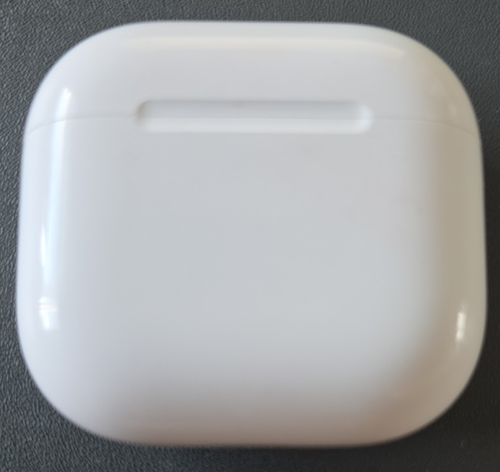
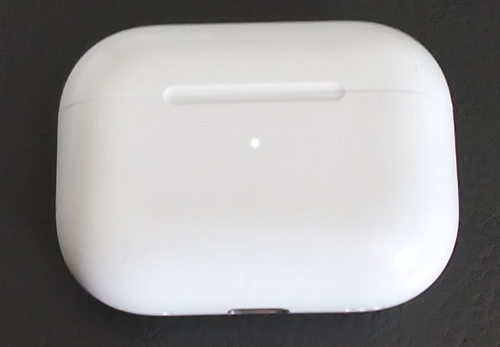
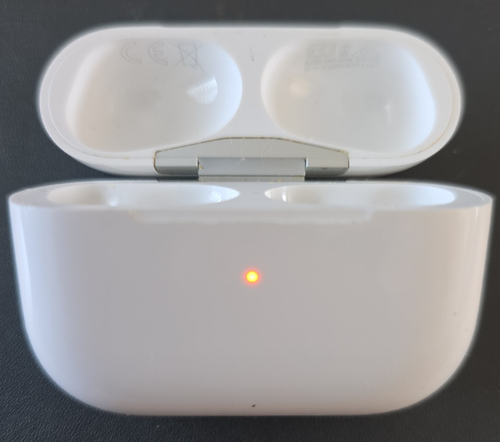
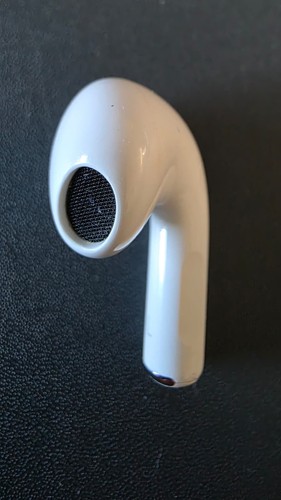
Genuine Apple AirPods 4 USB-C Charging Case (Model A3058).This listing is for the empty charging case only. No left or right earbuds are included.
The case has been tested and is fully working. It is the USB-C, Non-ANC version and is suitable as a replacement for a lost or damaged charging case.
The case shows light to moderate signs of previous use with minor cosmetic marks consistent with normal use, as shown in the photographs.
Please ensure compatibility with your existing AirPods before purchasing.
This case is compatible with AirPods 4 (Non-ANC) only and is not compatible with the ANC version (A3059).
Included:Genuine Apple AirPods 4 USB-C Charging Case (A3058)
Not Included:
Left earbud
Right earbud
USB-C charging cable
Original packaging
Please check compatibility before purchasing.
IMPORTANT – REPLACEMENT CHARGING CASE SETUP & COMPATIBILITY
Model: A3058 – Charging Case for Apple AirPods 4 (standard/non-ANC version).
COMPATIBILITY: This A3058 charging case is compatible ONLY with standard AirPods 4 earbuds – models A3053, A3050 and A3054.
It is NOT compatible with AirPods 4 with Active Noise Cancellation (ANC) earbuds – models A3056, A3055 and A3057 – or with any other generation of AirPods.
Please check the model numbers printed on your existing AirPods before purchasing.
When using your existing AirPods with a replacement charging case, the AirPods and case may need to be synchronised before they will pair correctly. A status light that does not immediately behave as expected does not necessarily mean the replacement case is faulty.
PLEASE FOLLOW THIS SETUP PROCEDURE:
1. Place both compatible AirPods 4 earbuds into the replacement charging case.
2. Connect the charging case to a power source using USB-C.
3. Close the lid and leave the case connected to power for 20 minutes.
4. Open the lid.
5. If the status light is flashing white, continue to step 7.
6. If the status light is not flashing white:
- Double-tap the front of the case while the status light is on.
- Double-tap the front again when the status light flashes white.
- Double-tap the front a third time when the white light begins flashing faster.
- The case should then enter the required setup/reset state.
7. With the status light flashing white, close the lid.
8. On your iPhone or iPad, go to Settings > Bluetooth. If your AirPods are already listed, tap the information button next to them and select Forget This Device, then confirm.
9. Open the replacement charging case with both AirPods inside and go to the Home Screen of your iPhone or iPad.
10. When the AirPods setup animation appears, select Connect, then Done.
IMPORTANT
Please complete the above replacement-case setup procedure before concluding that the case is faulty.
If you experience a problem after completing the procedure, please contact us and provide the model numbers printed on both of your AirPods so that compatibility can be checked.